If you manage multiple retail locations, you know the challenge: ensuring every store completes their tasks on time, maintains standards, and stays aligned with head office goals. This is where a multi-store task manager becomes essential.
In this guide, we'll break down exactly what a multi-store task manager is, how it works, and why businesses with multiple locations are rapidly adopting this technology to streamline their operations.
Understanding Multi-Store Task Management
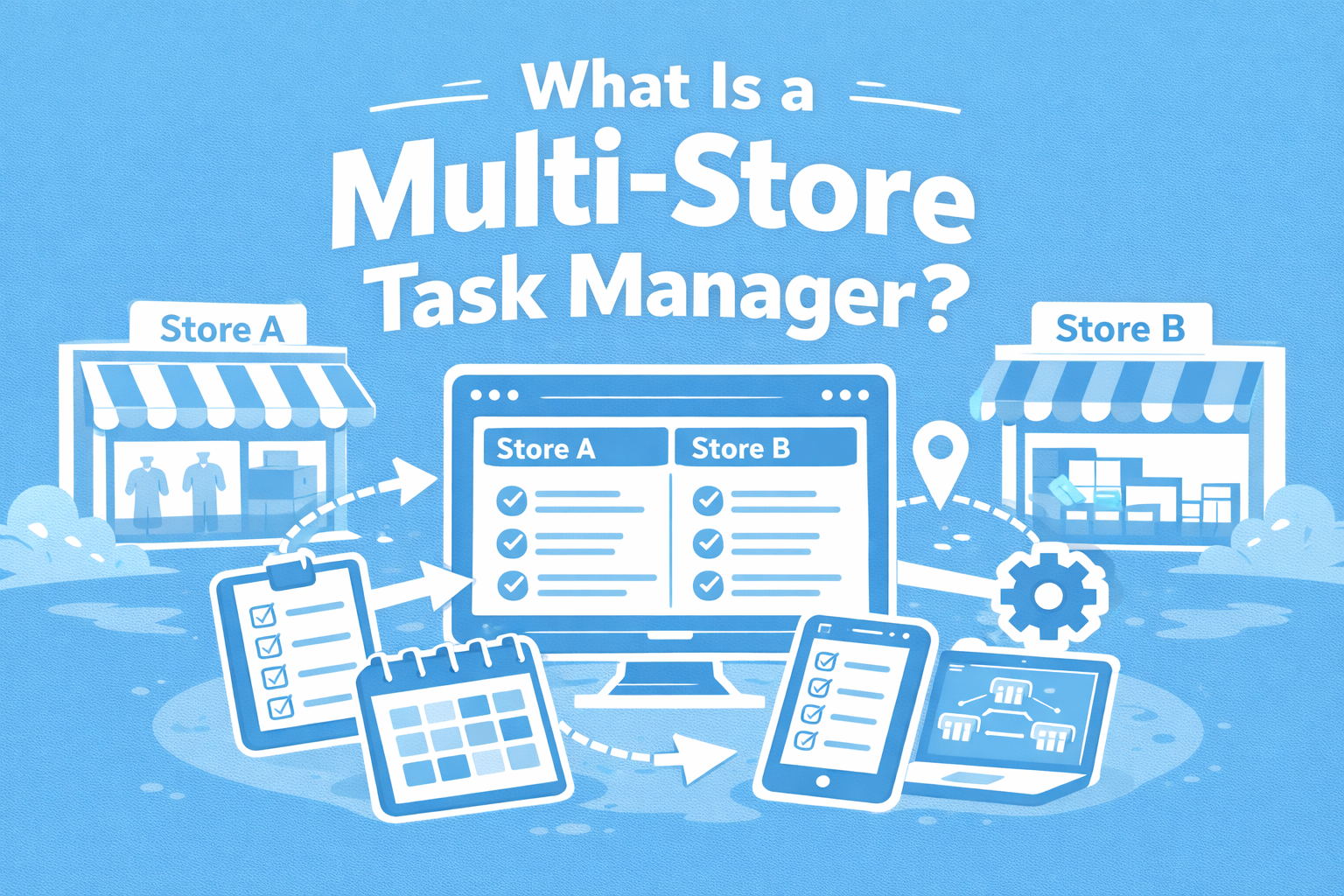
A multi-store task manager is a centralized software platform that allows businesses to create, assign, track, and verify tasks across multiple physical locations from a single dashboard. Think of it as a command center for your entire retail operation.
Unlike generic project management tools like Asana or Trello, which are built for individual projects and team collaboration, multi-store task managers are specifically designed for businesses with multiple locations. They're tailored for retail chains, restaurant groups, franchise operations, and multi-site service providers who need to maintain consistency across dozens or even hundreds of locations.
At its core, a multi-store task manager handles five key functions: centralized task creation (where head office creates tasks once and distributes them to all or specific stores), real-time tracking (so you can see which stores have completed tasks and which are falling behind), photo verification (allowing store teams to upload proof of completion with time-stamped images), automated notifications (teams receive alerts about new tasks, deadlines, and updates), and performance analytics (generating reports on completion rates, response times, and team accountability).
Why Traditional Methods Fall Short
As businesses grow beyond a single location, maintaining consistency becomes exponentially more difficult. Most multi-location businesses start with simple communication tools, but these quickly reveal their limitations.
The WhatsApp Trap
Many retail chains begin with WhatsApp groups. It's free, everyone already has it, and it seems perfect for quick communication. But within weeks, the cracks start to show. Messages get buried under hundreds of photos, memes, and side conversations. A critical task assigned on Monday morning is lost by Monday afternoon. Store managers spend 30 minutes scrolling through chat history trying to find that one instruction their area manager sent last week.
More importantly, there's no accountability. Who was supposed to update the window display? Did the Cape Town stores complete their inventory count? When you ask, you get radio silence or a vague "I think so." There's no way to verify completion, no historical record for audits, and no performance metrics to identify which locations need support.
The Spreadsheet Struggle
Email with attached spreadsheets is the next evolution—slightly more organized, but still problematic. You create a task list in Excel, email it to 15 store managers, and wait. Store A updates their copy and sends it back. Store B forgets to respond. Store C accidentally replies to an old version from two weeks ago. Before you know it, you're manually consolidating five different Excel files, cross-referencing email timestamps, and still unsure who's actually completed their tasks.
The real killer? There's no real-time visibility. You send a task on Monday expecting completion by Friday, but you won't know who's behind until Friday afternoon—too late to intervene. Meanwhile, store managers waste time updating spreadsheets instead of serving customers.
How a Multi-Store Task Manager Actually Works
Let me walk you through a typical workflow. Imagine it's Monday morning, and head office needs all stores to update their promotional displays for a new campaign launching Wednesday.
Step 1: Create the task. Someone from head office logs into the system and creates a task titled "Update Winter Sale Promotional Display." They add clear instructions, attach reference photos of how the display should look, and set a deadline for Tuesday 5 PM. They can even add a checklist: remove old signage, place new posters, arrange featured products, photograph final setup.
Step 2: Assign to stores. With a few clicks, they assign this task to all stores or just specific ones if only certain locations are participating in the sale. The system can target stores by region or franchise.
Step 3: Instant notifications. Every assigned store manager receives a notification immediately via email and in-website notifications. They open the website (accessible by computer, tablet or phone), see the task with all instructions and photos, and know exactly what's expected.
Step 4: Complete and verify. The store team sets up the display. When finished, the store manager clicks "Take Photo" to capture a quick photo of the new display, and submits the task. The system automatically timestamps the submission which means there is no way to fake when it was actually done.
Step 5: Real-time oversight. Back at head office, the operations manager opens their dashboard. They see a visual overview: 23 out of 30 stores completed, 5 in progress, 2 not started. They can click on any store to see their submission photos or check completion times. By Tuesday afternoon, they spot that the Durban store's display doesn't quite match the reference photo which is when they can send a "Force Redo" to the store manager immediately to make adjustments before the Wednesday launch.
This entire process, from task creation to verification across 30 stores, takes head office about 10 minutes total. Compare that to sending WhatsApp messages, waiting for replies, following up with non-responders, and manually compiling a status report. That's hours of work condensed into minutes.
What Do Businesses Actually Use This For?
The applications are nearly endless, but let me share some of the most common use cases we see across different industries.
Retail chains use multi-store task managers for daily opening and closing checklists (ensuring every store follows the same procedures for cash handling, alarm systems, and store security), promotional display setup and merchandising (rolling out seasonal campaigns with photo verification that displays match brand standards), automated unit counts, label price changes (ensuring verification that stores have adjusted stock price labels accordingly), and health and safety inspections (documenting fire extinguisher checks, emergency exit accessibility, and workplace hazards).
Restaurant groups rely on these systems for daily food safety temperature checks (logging fridge, freezer, and hot-hold temperatures with photo evidence for health inspections), equipment maintenance schedules (ensuring deep fryers are cleaned, grease traps serviced, and HVAC filters changed on schedule), menu rollouts and recipe changes (distributing new recipes with step-by-step photos and confirming kitchen staff have reviewed them), cleanliness and hygiene audits (conducting regular assessments of food prep areas, dining spaces, and restrooms), and staff uniform and presentation standards (verifying team members meet appearance guidelines during peak service times).
Franchise operations depend on task managers for brand compliance verification (ensuring signage, décor, and customer experience match franchise standards), marketing campaign implementation (coordinating social media posts, local promotions, and community events across franchisees), quality control spot checks (conducting surprise audits with photo documentation for franchisor review), seasonal product launches (managing limited-time offerings with training materials and setup instructions), and license and certification renewals (tracking health permits, business licenses, and insurance documents before they expire).
The Real Business Impact
Beyond the obvious operational improvements, businesses that implement multi-store task managers report several transformative benefits.
Time savings are dramatic. We consistently hear about managers reclaiming 10-15 hours per week previously spent on task follow-ups, status chasing, and manual reporting. One operations manager told us she used to spend Monday mornings sending task lists to 25 stores, Wednesday afternoons checking in on progress, and Friday mornings compiling completion reports. Now, she does all three in under an hour total, and gets better data in the process.
Consistency improves measurably. When every store receives identical instructions with visual references, and completion is verified with photos, standards stop slipping. A grocery chain client reported that their compliance with promotional display guidelines jumped from 67% to 94% within two months of implementation, simply because stores could no longer claim they "didn't see the email" or "weren't sure exactly what was expected."
Visibility eliminates surprises. Perhaps the biggest shift is moving from reactive to proactive management. Instead of discovering on Friday that a critical task wasn't completed all week, you see the problem Tuesday morning and can intervene. You notice patterns: Store 12 consistently struggles with certain tasks, suggesting they need additional training. Store 5 always completes everything early and with excellent photo documentation, making them a model for others.
Accountability becomes cultural. When completion is tracked, timestamped, and photographed, excuses disappear. We're not talking about creating a punitive environment, quite the opposite. Most teams appreciate clear expectations and the ability to prove they've completed their work properly. Store managers stop worrying about head office forgetting their hard work, and head office stops wondering if tasks are actually being done.
Choosing the Right System
Not all multi-store task managers are created equal. When evaluating options, focus on these critical factors.
Mobile-first design is non-negotiable. Your store teams live on their phones. If the system isn't designed primarily for mobile use, not just "mobile-responsive" but genuinely built for smartphones, it won't get adopted. Store managers won't pull out laptops to mark tasks complete. The mobile app/website should be fast and intuitive.
Photo verification should be seamless. This feature alone justifies the investment for most businesses. But it has to be easy, tap complete, camera opens automatically, take photo, submit. If it requires multiple steps or navigation through confusing menus, people won't use it. Look for systems that allow multiple photos per task and automatically compress images so they don't eat up mobile data.
Smart notifications prevent task blindness. Too many notifications and people ignore them all. Too few and tasks get forgotten. The best systems let you configure notification timing (e.g., reminder 24 hours before deadline, escalation to area manager if not completed by due date).
Reporting must be effortless. If generating a report requires exporting CSVs, opening Excel, creating pivot tables, and formatting for an hour, you'll stop doing it. Look for systems with visual dashboards, one-click report generation, and the ability to filter by date range, store, task type, or completion status.
Easy setup means faster ROI. Some enterprise task management systems require IT teams, custom development, and months of configuration. Unless you're a Fortune 500 company, you don't have time for that. The right solution should have you up and running in a day. Create an account, add your stores, invite team members, create your first task. If the sales demo requires three meetings and a technical consultant, keep looking.
Is This Right for Your Business?
Here's the simple truth: if you manage more than one location and you're currently using WhatsApp, email, or spreadsheets to coordinate tasks, you're working too hard for too little result.
Ask yourself these questions. Do you struggle to maintain consistency across locations? Do you spend hours each week following up on task completion? Are you flying blind, unsure what's actually happening at each store until something goes wrong? Is generating performance reports a manual nightmare? Are your store managers drowning in chaotic communication channels?
If you answered yes to even one of these, a multi-store task manager will transform your operations. The investment, both in money and implementation time, is minimal compared to the hours you'll reclaim and the consistency you'll achieve.
The question isn't really whether you need this technology. The question is how much longer you'll wait before implementing it. Your competitors are already using systems like this. They're more efficient, more consistent, and scaling faster because they're not bogged down in task management chaos.
The right multi-store task manager doesn't just organize your operations, it fundamentally changes how your business operates. Teams become more accountable without feeling micromanaged. Head office gains control without drowning in administrative work. And your business scales with confidence, knowing that every location maintains the same high standards.
Ready to see what this looks like in practice? Most platforms offer free trials or demos. Take advantage of them. Create a few sample tasks, assign them to your team, and experience the difference for yourself. You'll wonder how you ever managed without it.