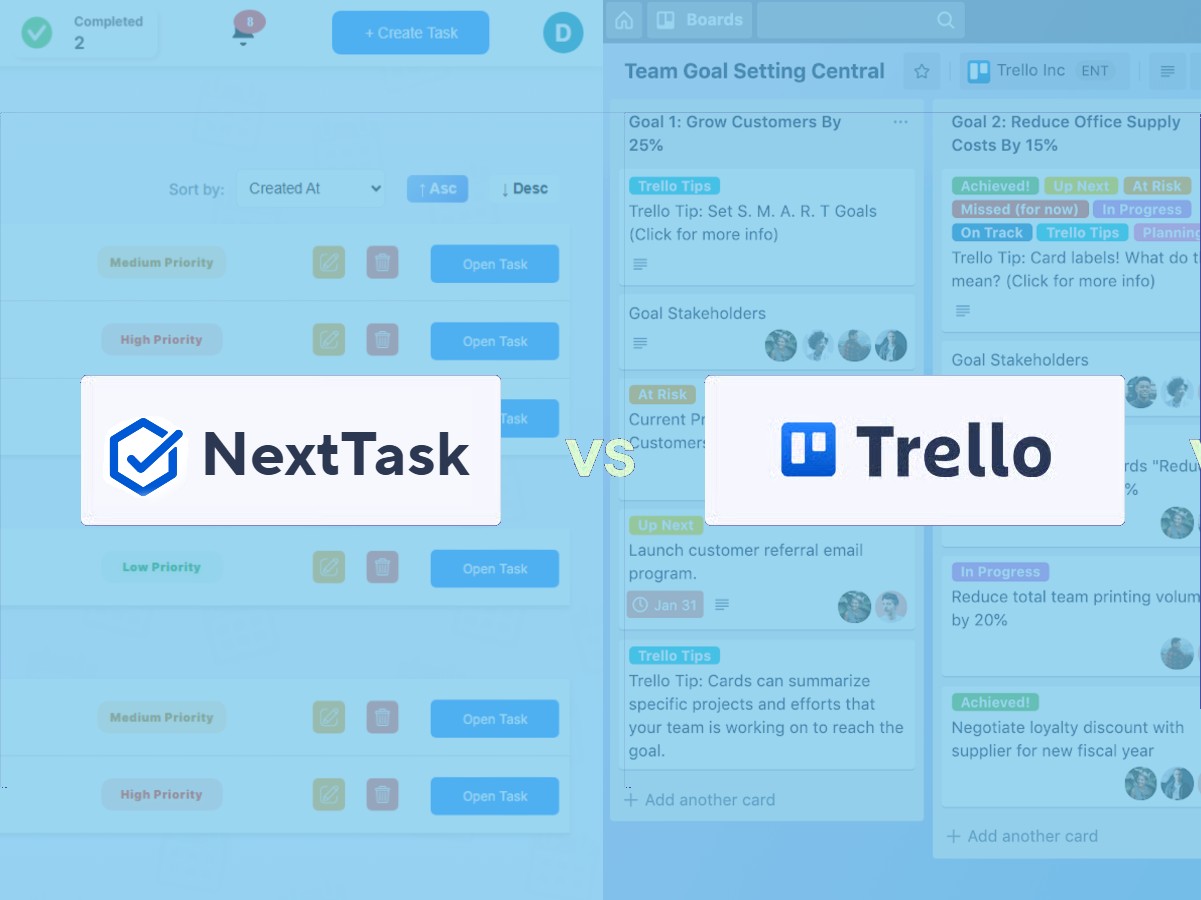
You're managing multiple retail stores and need a task management solution. Trello keeps coming up in your research—it's popular, flexible, and widely used. But is it really the right choice for retail operations? Let's compare Trello with NextTask, a platform built specifically for multi-store retail management.
This isn't about declaring one tool "better" in every scenario. Instead, we'll examine what each platform does well, where they struggle, and most importantly, which one actually solves the daily challenges of managing multiple retail locations.
What Each Platform Was Built For
Trello: The Swiss Army Knife
Trello launched in 2011 as a visual project management tool based on the Kanban methodology. Its board-card-list system became instantly popular with software development teams, marketing departments, and freelancers. The appeal is universal: Trello can be adapted to almost any workflow. Planning a wedding? Trello works. Managing a content calendar? Trello works. Organizing your personal reading list? Trello works.
This flexibility is Trello's greatest strength and its fundamental weakness for retail operations. Because Trello was designed to work for everything, it wasn't optimized for anything specific. There are no retail-specific features, no store management workflows, no compliance tracking. You get a blank canvas and must build everything yourself using boards, lists, cards, labels, and power-ups.
NextTask: Purpose-Built for Retail
NextTask was designed from day one to solve one specific problem: how do multi-location retail businesses ensure consistent task completion across all their stores? Every feature addresses real pain points that retail operators face daily—from photo verification of completed tasks to store-specific task assignments to automated compliance reporting.
This specialization means you don't start with an empty board wondering how to structure your workflow. You get a system that already understands stores, managers, head office roles, recurring tasks, and the accountability requirements of retail operations. Setup takes minutes instead of weeks because the platform anticipates your needs.
Feature-by-Feature Comparison
Store Management & Organization
NextTask: Stores are first-class citizens in the system. You add each location with its details, assign managers, and immediately see store-level dashboards showing task completion rates, overdue items, and performance trends. Assigning a task to "all stores" or "all Eastern Cape stores" takes two clicks. The system understands your organizational hierarchy.
Trello: There's no concept of "stores" built into Trello. Most retail businesses create one board per store, which quickly becomes unwieldy with 10+ locations. Alternatively, you create a single board with lists for each store, but this makes individual store oversight difficult. Want to see how Store 5 is performing? You'll manually count cards and check due dates. Assigning a task to multiple stores means creating duplicate cards across multiple boards or lists—tedious and error-prone.
Photo Verification
NextTask: Photo verification is integrated into the core workflow. When a store manager completes a task, they're prompted to take a photo. One tap opens the camera, captures the image, and attaches it with an automatic timestamp. Head office can instantly review submission photos to verify the display was set up correctly, the equipment was cleaned properly, or the signage was updated as instructed. Photos are automatically compressed to save mobile data and storage space.
Trello: You can attach images to cards, but it's a multi-step process: open card, click attachments, choose photo source, select image, upload, save. No automatic timestamps proving when the photo was taken. No compression, so large photos eat up storage limits quickly. Most critically, there's no workflow enforcement—nothing prevents a store manager from marking a card complete without adding photo proof.
Task Assignment & Distribution
NextTask: Create a task once, assign it to multiple stores simultaneously with flexible targeting (all stores, specific regions, individual locations). Set different due dates per store if needed. Each store manager sees only their assigned tasks in a clean, focused view. Head office sees the aggregated view with completion status across all assigned locations.
Trello: To assign the same task to 20 stores, you're either creating 20 separate cards (one on each store's board) or maintaining a complex tagging system on a shared board. If you need to update task instructions, you must edit each card individually. If a new store joins your chain, there's no "copy all recurring tasks to the new store" function—you're manually recreating everything.
Recurring Tasks & Checklists
NextTask: Set up daily, weekly, or monthly recurring tasks that automatically get assigned to specified stores. Opening checklists, closing procedures, weekly inventory counts, monthly safety inspections—configure once and they regenerate automatically. Each store manager sees a fresh task each day/week/month without any manual creation from head office.
Trello: Trello does offer recurring card creation through power-ups like "Card Repeater," but this requires a paid plan and still has limitations. You must set up automation for each board separately if you're using the one-board-per-store approach. The recurring cards don't have store-aware logic, so if you close a store temporarily, you'll still get unnecessary recurring tasks you must manually delete.
Real-Time Dashboard & Reporting
NextTask: Open your dashboard and immediately see: which stores have overdue tasks, what percentage of this week's tasks are complete, which managers consistently complete on time versus which need support, trends over time showing improving or declining performance. Generate compliance reports for audits with one click. Filter by date range, store, task type, or completion status.
Trello: There's no built-in dashboard or reporting. You're manually reviewing boards, counting cards in different lists, and checking due dates. Some third-party power-ups offer basic reporting, but they require additional paid subscriptions and still don't provide retail-specific insights. Want to know your chain-wide task completion rate this month? You're exporting data to Excel and creating your own pivot tables.
Mobile Experience
NextTask: Designed mobile-first because we know store managers live on their phones, not at desks. The interface is optimized for quick task completion: see your tasks, tap to complete, take photo, submit. Everything is accessible within two taps. Works seamlessly on any device—phone, tablet, or computer.
Trello: The mobile app is functional but clearly a scaled-down version of the desktop experience. Navigating between multiple store boards on a small screen is frustrating. Adding photos requires more steps than necessary. Store managers often find the mobile experience clunky compared to the desktop version, which discourages on-the-floor task updates.
A Real-World Scenario: Rolling Out a Promotional Display
Let's walk through a common task: Head office needs all 25 stores to update their window displays for a new seasonal promotion by Friday.
Using NextTask
Monday morning, the marketing manager logs into NextTask. She creates a new task: "Update Window Display - Spring Collection." She uploads reference photos showing the desired layout, writes clear instructions, and sets a Friday 5 PM deadline. With two clicks, she assigns the task to all 25 stores.
Every store manager receives an instant notification. They open the task on their phone during their shift, review the reference photos, and get to work. As each store completes the display, the manager takes a quick photo of their finished work and submits the task. The system timestamps the submission automatically.
Wednesday afternoon, the marketing manager checks her dashboard. 18 stores completed, 5 in progress, 2 not started. She clicks on the two non-started stores and sends gentle reminders. She reviews the submission photos and notices Store 12's display doesn't match the reference—the products are arranged incorrectly. She sends a "Force Redo" request with specific notes. Store 12 makes the correction Thursday morning.
By Friday at 5 PM, all 25 stores have completed the task with photo verification. The entire process took the marketing manager maybe 15 minutes of active work across the week. She has photo proof of every display for the campaign report. Done.
Using Trello
Monday morning, the marketing manager opens Trello. She has two options: create 25 separate cards (one on each store's board) or create one card on a shared board and try to track completion through comments or checklists.
She chooses the 25-card approach. She creates the first card on Store 1's board, uploads reference photos, writes instructions, and assigns the store manager. Then she copies this card and pastes it to Store 2's board, reassigns it, and updates the card name. She repeats this process 23 more times. This takes 45 minutes because she must manually navigate to each board, paste the card, and customize the assignment.
Store managers start seeing the cards throughout Monday as they check Trello. Some get mobile notifications, others don't because they haven't configured push notifications correctly. Store 7's manager doesn't use Trello regularly and misses the card entirely until Wednesday.
As stores complete the task, some move their card to a "Done" list. Others add a comment saying "Completed." A few attach photos, most don't because it's too many steps on mobile. The marketing manager has no aggregated view, so Wednesday afternoon she manually visits all 25 boards to check status. This takes 30 minutes. She realizes Store 7 and Store 19 haven't even started.
She sends direct messages (not in Trello, probably via WhatsApp) to follow up. She has photos from maybe 10 stores and has no efficient way to review them in one place—she's opening each board, clicking each card, scrolling through attachments. She notices Store 12's display looks wrong but has to send another message with notes because Trello doesn't have a "redo" workflow.
By Friday, she thinks everyone is done based on card movements and comments, but she's not 100% certain. Generating a completion report for her director? That's another hour compiling screenshots and creating a summary document. The task that should take 15 minutes of management time has consumed probably 3-4 hours across the week.
When Trello Makes Sense (And When It Doesn't)
Trello Is Great For:
Individual project management: If you're a single store with a small team managing various projects (renovations, event planning, vendor relationships), Trello's flexibility shines. You can customize boards exactly how you want without needing retail-specific features.
Internal head office workflows: Your marketing team planning campaigns, your HR team tracking recruitment, your finance team managing purchase orders—Trello works well for these non-operational tasks where store-specific functionality isn't needed.
Businesses with 2-3 locations: If you only have a couple of locations, Trello's limitations are less painful. Managing 3 boards is doable. But if you plan to grow, you're building on a foundation that won't scale.
Trello Struggles With:
Multi-store task distribution: Assigning the same task to many locations is clunky and time-consuming. You'll spend more time managing the tool than managing your stores.
Compliance and verification: Retail operations require proof that tasks were completed correctly and on time. Trello has no built-in verification workflows, timestamped photo capture, or audit trails suited for retail compliance.
Performance tracking: You need to know which stores consistently complete tasks and which need coaching. Trello can't give you these insights without significant manual effort.
Mobile-first operations: Store managers don't sit at desks. They're on the floor serving customers, and they need to complete tasks quickly from their phones. Trello's mobile experience is functional but not optimized for this workflow.
When NextTask Makes Sense (And When It Doesn't)
NextTask Is Perfect For:
Multi-location retail operations: If you're managing 5 or more stores and need consistent task execution across all locations, NextTask eliminates the complexity of coordinating multiple teams. The platform was built specifically for this challenge.
Operations requiring photo verification: Retail businesses that need visual proof of completed tasks—from merchandising displays to equipment maintenance to safety compliance—benefit immediately from NextTask's integrated photo verification with automatic timestamps.
Businesses scaling rapidly: When you're opening new stores regularly, NextTask allows you to instantly replicate your entire task structure to new locations. No rebuilding boards or recreating workflows—just add the store and assign existing task templates.
Teams that need real-time visibility: If head office needs to instantly see which stores are performing well and which need support, NextTask's dashboard delivers this intelligence without manual reporting. Make data-driven decisions based on actual completion rates, not gut feelings.
NextTask Might Be Overkill For:
Single-location businesses: If you only have one location, many of NextTask's multi-store features won't apply to your situation. The platform still works excellently for single stores, but you might not need the full power of store-level reporting and bulk task distribution.
Non-retail operations: NextTask is optimized for retail, hospitality, and service businesses with physical locations. If you're running a purely digital business or software development team, you don't need retail-specific features like store hierarchies and mobile-first design.
Companies not ready for process standardization: NextTask works best when you want consistent execution across locations. If each of your stores operates completely independently with different processes and no shared tasks, the platform's strength in standardization won't add value.
The Bottom Line
Trello is an excellent tool—well-designed, reliable, and flexible enough to handle countless workflows. It excels at what it was built for: general project management. But "flexible enough to do anything" inherently means it's not optimized for the specific challenges of retail operations.
Here's the critical question: Do you want to spend weeks configuring a generic tool to partially work for retail, or invest in a platform purpose-built for multi-store operations that delivers results from day one?
If you manage 5+ stores and need consistent task completion with photo verification, real-time performance tracking, and mobile-first design, NextTask will immediately save you 10-15 hours per week while improving operational consistency. If you're a single location using task management primarily for internal projects rather than store operations, Trello's flexibility might serve you adequately.
The businesses switching from Trello to NextTask consistently report the same transformation: they didn't realize how much time they were losing to workarounds until they experienced a purpose-built solution. Tasks that required 10 steps in Trello now take 2 clicks in NextTask. Reports that demanded hours of manual compilation now generate automatically in seconds. Photo verification that was optional (and usually skipped) is now seamlessly integrated into every completed task.
The right tool isn't about having the most features—it's about having the right features that solve your actual daily challenges without requiring workarounds. Trello can be adapted for retail operations, but that adaptation consumes time, creates friction, and requires ongoing maintenance. NextTask was engineered from the ground up for multi-store retail management, which means it solves your problems immediately, not eventually.
The best way to prove this? Try both platforms with real store tasks for a week. Trello offers a free plan, and NextTask provides trial access. Assign a promotional display update, a compliance checklist, or an inventory task. Track the time spent creating, distributing, monitoring, and verifying each task. One platform will clearly save you hours while the other creates administrative overhead. The difference becomes obvious within days, not weeks.