Store Tasks

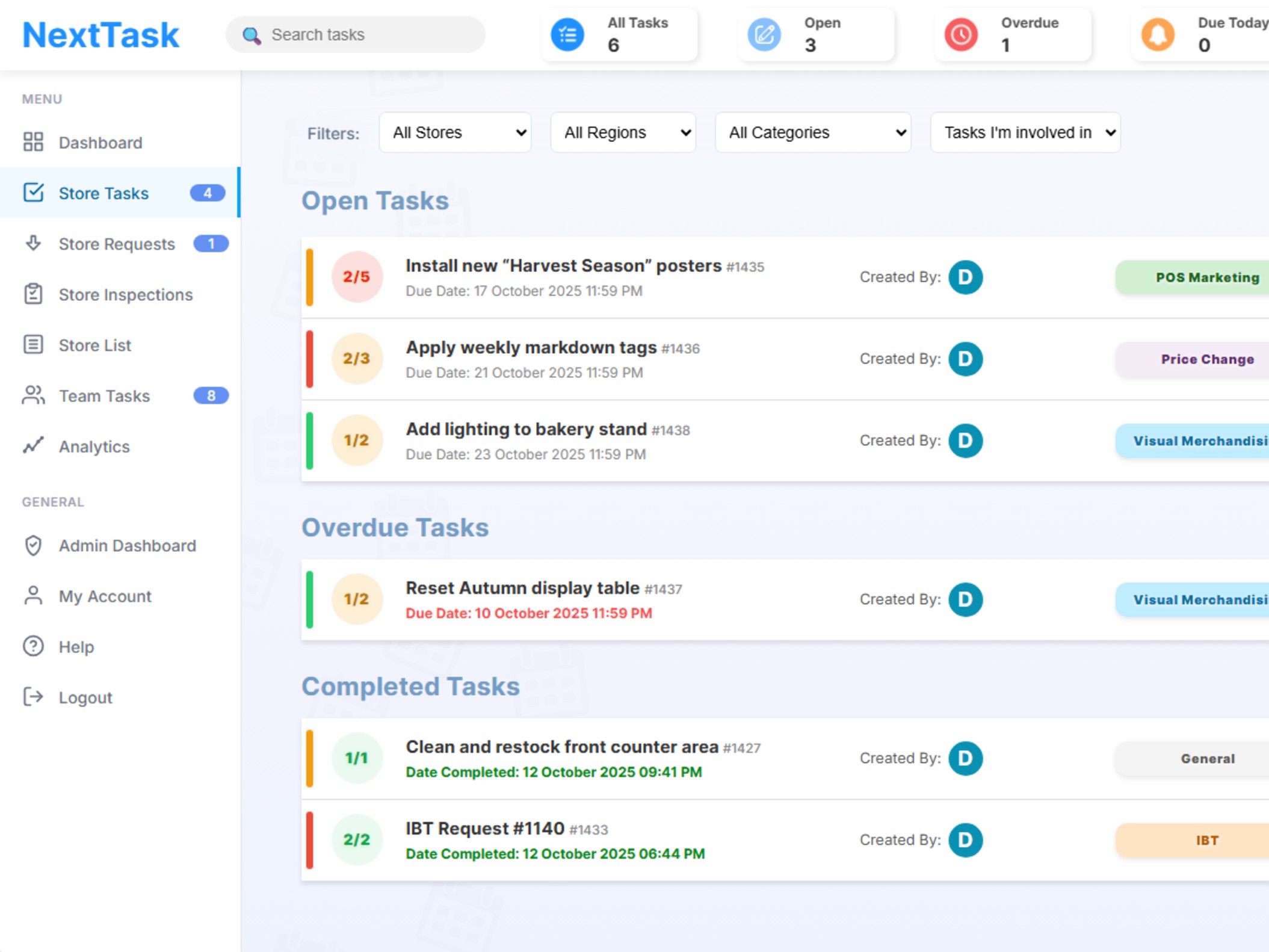
From price changes to promotional setups, manage all store-level tasks with precision. Ensure every task is completed correctly, on time, and documented.

Handle Every Store Operation Seamlessly

Whether it's updating pricing, setting up promotions, or managing seasonal changes, NextTask ensures your stores execute every task flawlessly across all locations.

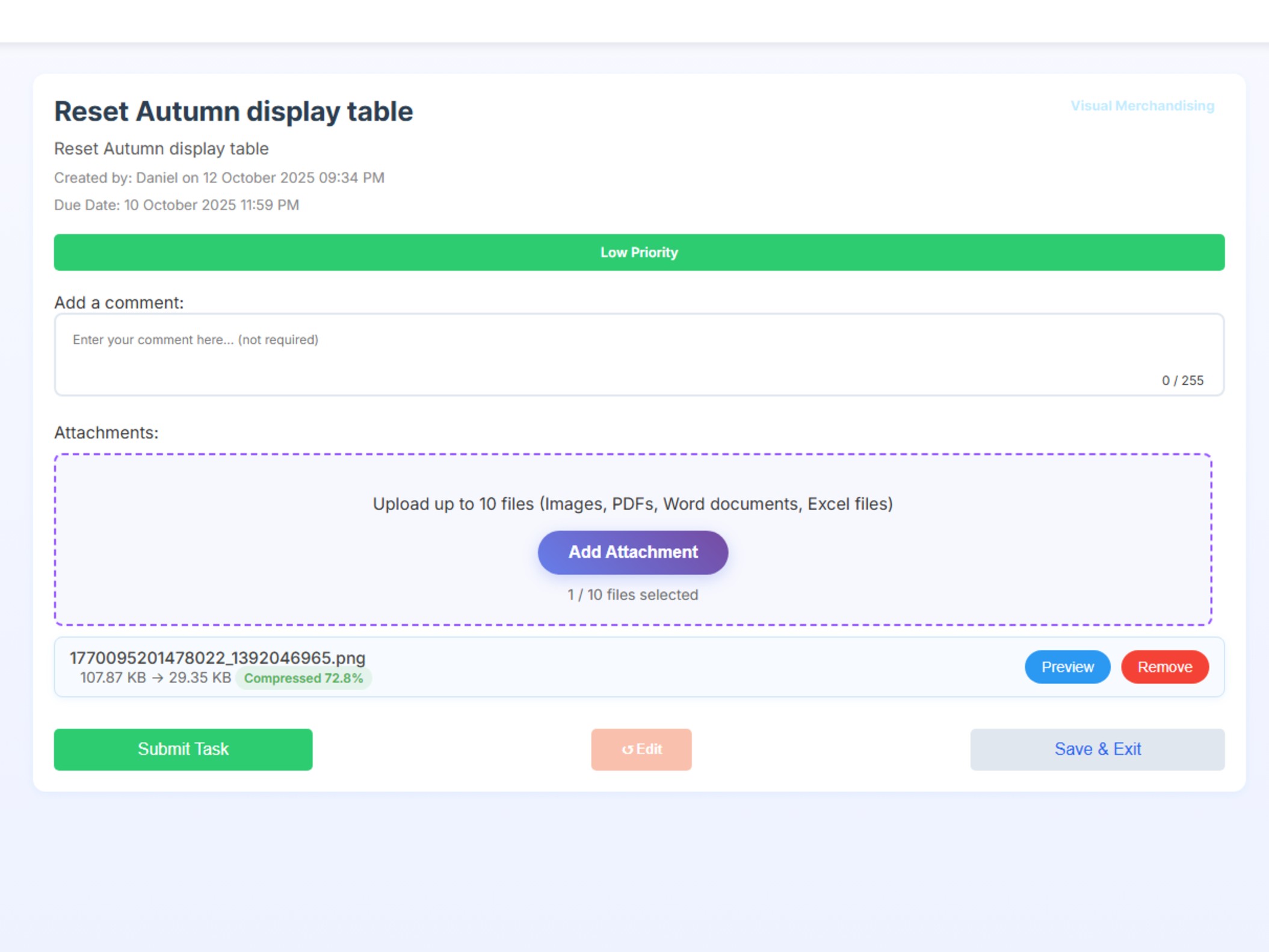
  • Attach Files to Tasks Add photos, PDF, Word, or Excel files to any task so your stores have all the reference materials and instructions they need in one place.
  • Custom Categories Create and assign your own task categories to match your business needs. Organize tasks for departments, teams, or special projects for better clarity and reporting.
  • Priority Setting Set task priority levels (e.g., high, medium, low) to help staff focus on what matters most. Filter and sort tasks by priority for efficient execution.
  • Staggered Tasks Create tasks with step-by-step checklist items that must be ticked off before submission. Ensure every action is completed in sequence and fully documented.
Store Tasks Dashboard

Common Store Tasks

Price Changes

Update shelf labels, POS systems, and promotional pricing. Verify completion with photos and ensure pricing consistency across stores.

Seasonal Campaigns

Coordinate holiday displays, seasonal products, and themed decorations. Ensure your stores are campaign-ready before launch dates.

Deep Cleaning

Schedule and track deep cleaning activities, floor maintenance, and window cleaning. Maintain high standards with photo documentation.

85%

Faster Task Rollout

98%

Task Completion Rate

60%

Reduction in Errors

100%

Documentation Visibility

Visual Merchandising

Ensure your stores look perfect every time. Create, distribute, and verify visual merchandising layouts across all locations with photo-based task management.

Maintain Perfect Store Presentation

From planograms to window displays, NextTask helps you implement and maintain visual merchandising standards that drive sales and create exceptional shopping experiences.

  • Photo-Based Instructions Send reference photos and detailed instructions for displays, layouts, and merchandising setups. Visual guides ensure perfect execution every time.
  • Planogram Distribution Share planograms and shelf layouts instantly across all stores. Track implementation progress and verify with photo submissions.
  • Window Display Management Coordinate seasonal window displays and promotional setups. Send step-by-step instructions with deadlines and completion tracking.
  • Verification & Feedback Stores submit completion evidence for head office review. If standards are not met, head office can require the task to be redone, ensuring quality and compliance.
Checklists Dashboard

Visual Merchandising Use Cases

Seasonal Displays

Roll out coordinated seasonal displays across all stores. Ensure consistent branding and timing for holiday campaigns and special events.

Product Launches

Coordinate new product displays with photos, signage placement, and shelf positioning. Track implementation across your entire network.

Feature Endcaps

Manage premium endcap placements and promotional areas. Verify correct products, pricing, and signage with photo evidence.

Automated Stock Counts

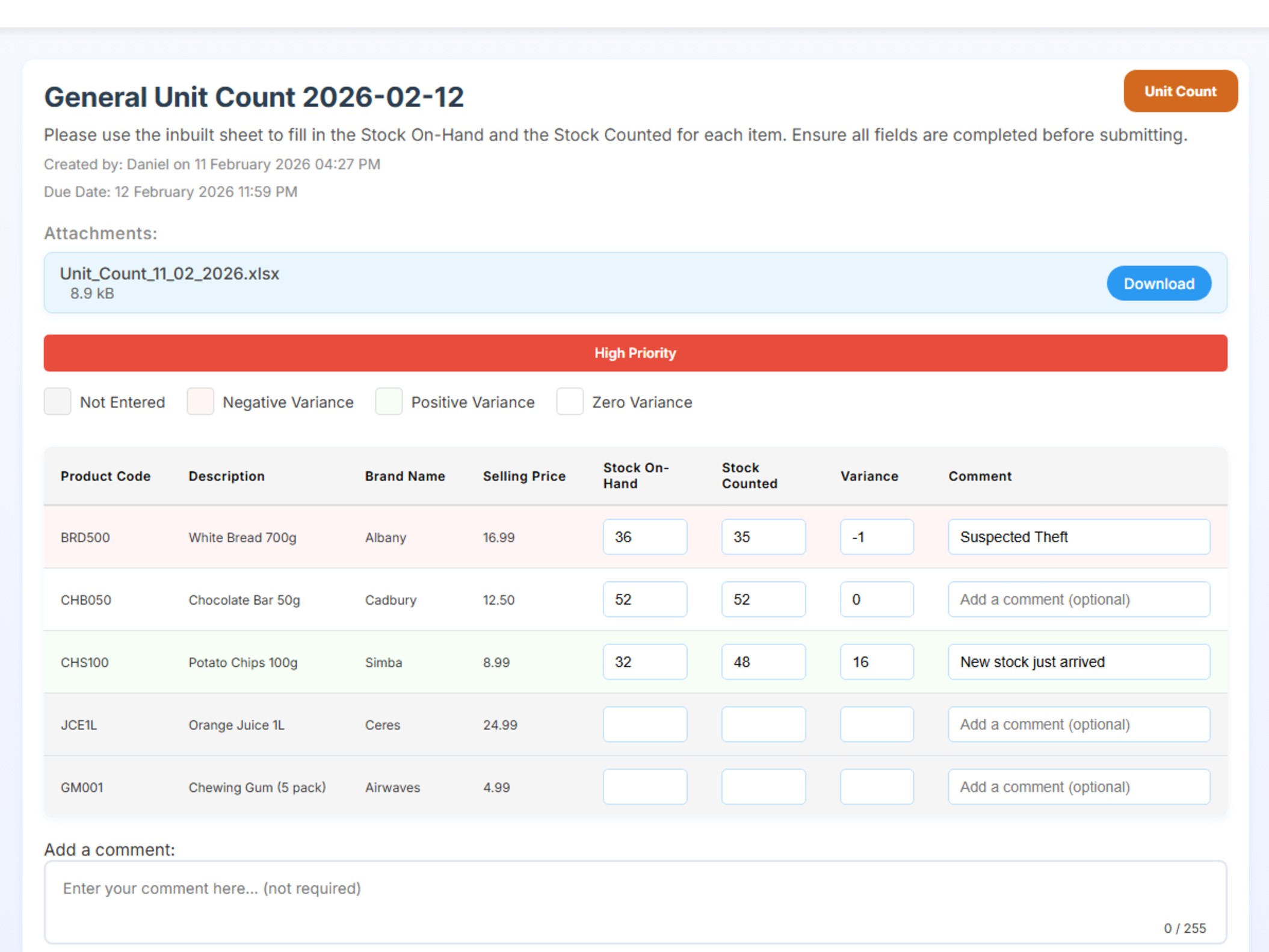
Streamline inventory tracking with automated, recurring unit count tasks. Maintain accurate stock levels, reduce shrinkage, and optimize inventory management across all stores.

Effortless Inventory Accuracy

Say goodbye to manual spreadsheets and lost count sheets. NextTask automates unit count distribution, tracks progress in real-time, and provides instant visibility into inventory levels. Small unit counts every week keep an accurate eye on losses and theft, helping you quickly spot issues and maintain tighter control over your stock.

  • Automated Scheduling Set up recurring unit counts that auto-generate weekly, with the flexibility to select specific days of the week (e.g., Monday, Tuesday, etc.) for repetition. Never manually create count tasks again, they're created automatically.
  • Product List Distribution Simply submit one list of all products, along with the quantity you want counted for each item. The site will randomly distribute the counts for each repeated cycle, ensuring stores receive clear instructions on what to count and how to submit results.
  • Mobile Count Submission Staff complete counts on mobile devices, entering quantities directly into the website. No more paper forms or manual data entry.
  • Real-Time Tracking Monitor count completion across all stores in real-time. See which stores have completed counts and follow up on pending items instantly.
Checklists Dashboard

90%

Reduction in Admin Time

100%

Digital Tracking

Real-Time

Visibility

Zero

Manual Data Entry

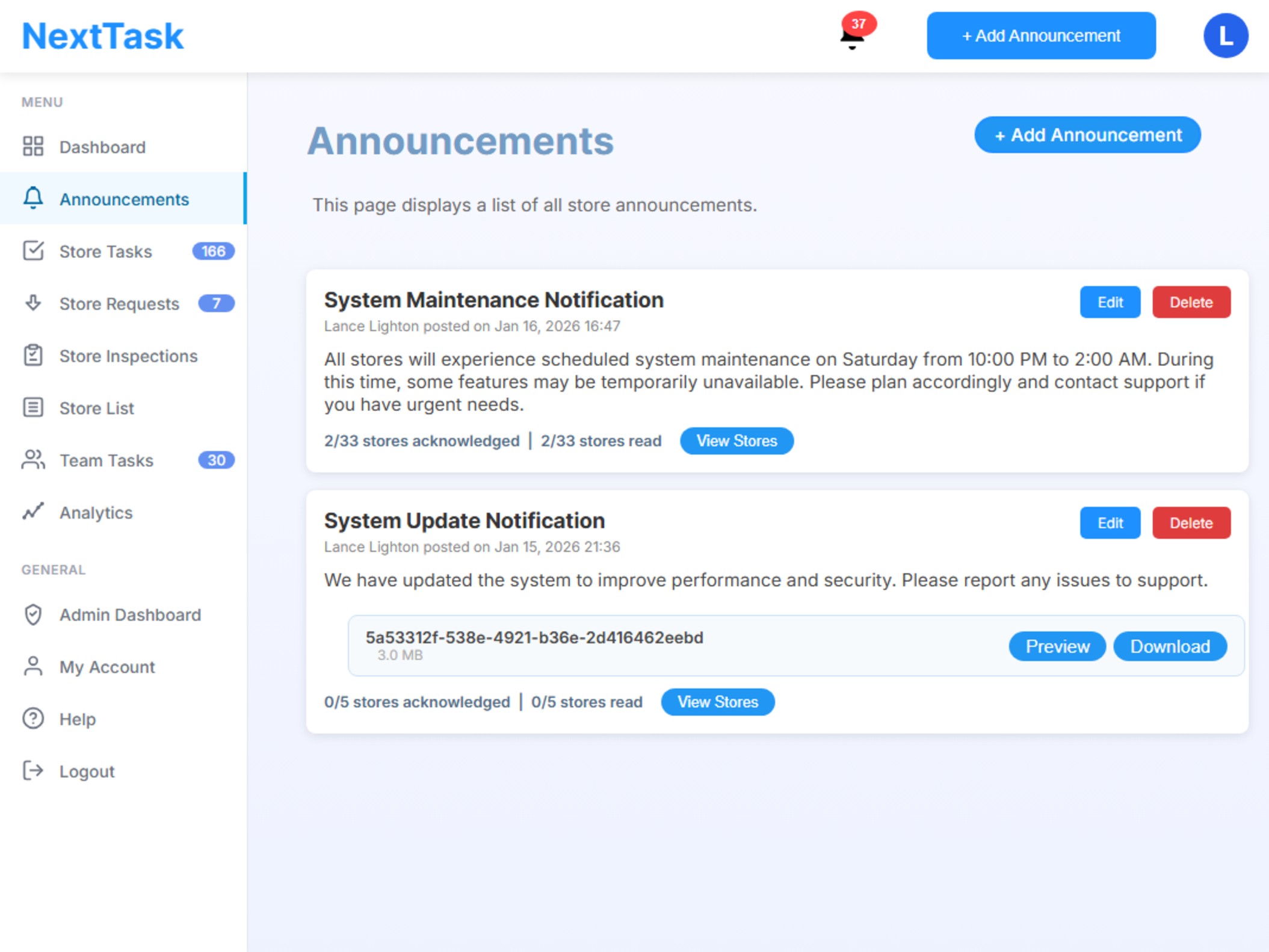
Store Announcements

Broadcast important updates, policy changes, and critical information to all stores instantly. Ensure every team member stays informed and aligned.

Instant Communication Across Your Network

Replace WhatsApp groups and email chains with a professional announcement system. Reach all stores with important updates, track who's seen messages, and maintain a searchable history.

  • Instant Broadcasts Send announcements to all stores or specific groups instantly. Critical updates reach everyone immediately via in-website notifications and email.
  • Acknowledgements Stores have an "Acknowledge" button to confirm they have read each announcement. Track confirmations for accountability.
  • Read Receipts Track who has viewed each announcement. See read status by store and follow up with those who haven't confirmed receipt or have read but not acknowledged.
  • Rich Media Support Attach images, PDFs, and documents to announcements. Share policy updates, training materials, and product information easily.
Checklists Dashboard

Communication Use Cases

Urgent Updates

Communicate emergency procedures, safety alerts, or critical business updates instantly to all stores with priority notifications.

Policy Changes

Roll out new policies, procedures, and operational guidelines. Ensure all stores receive and acknowledge important changes.

Team Recognition

Celebrate achievements, announce promotions, and recognize top performers. Build company culture across all locations.

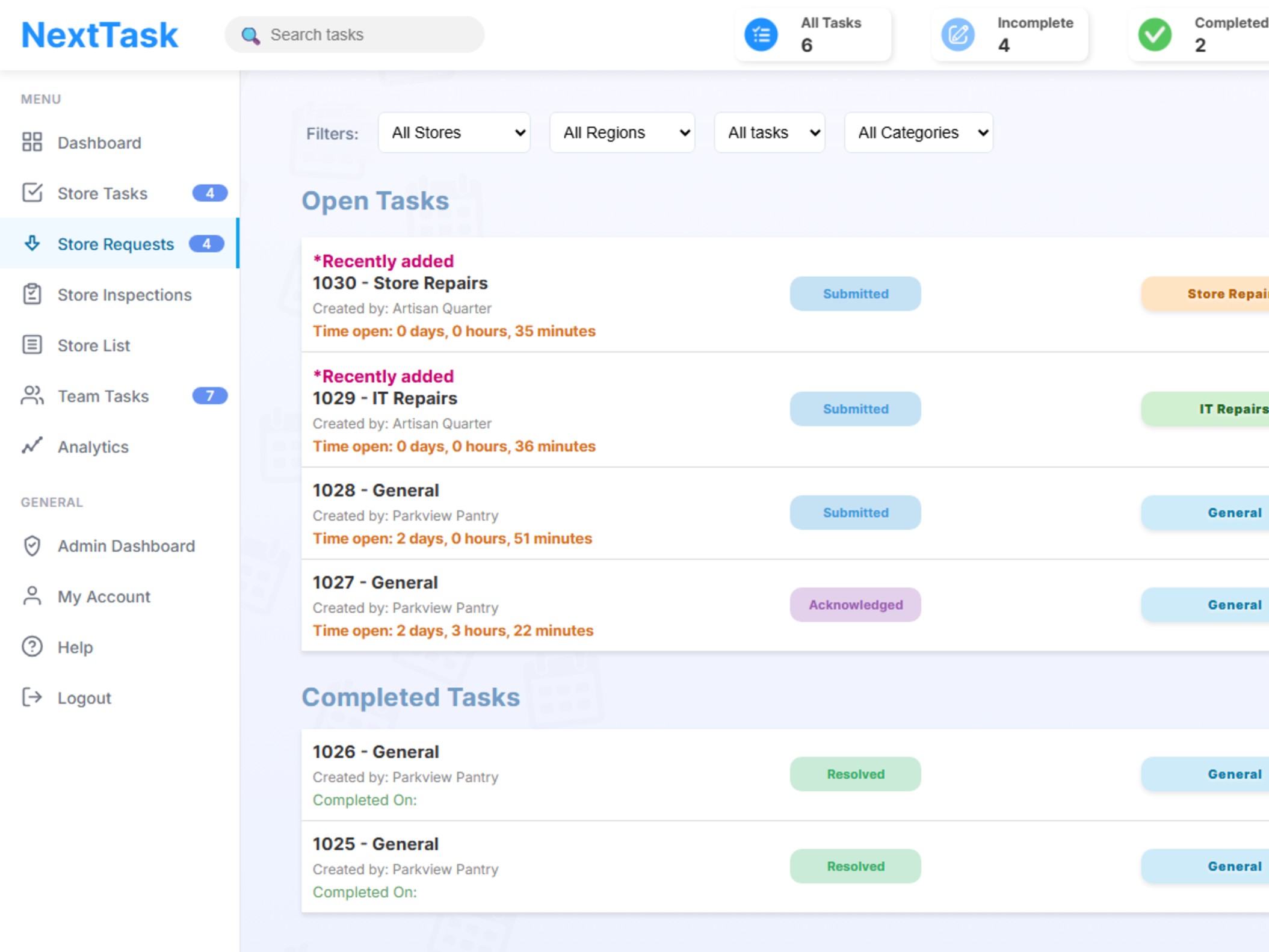
Store Requests

Empower stores to request support, maintenance, stock, or approvals through a structured system. Head office can review, respond, and track all requests in one place.

Organized Request Management

End the chaos of email requests and phone calls. Centralize all store requests with proper tracking, status updates, and accountability.

  • Easy Request Submission Stores submit requests for maintenance, stock orders, policy clarifications, HR requests, IT support, or approvals. Attach photos and details for context.
  • Centralized Inbox Head office sees all requests in one dashboard. Filter by type, priority, or status. Nothing gets lost or overlooked.
  • Status Tracking Track request status from submission to resolution. Stores see real-time updates on their requests—no need to follow up manually.
  • Two-Way Communication Head office and stores can message within each request. Ask questions, provide updates, and resolve issues efficiently.
Store Tasks Dashboard

Common Request Types

Maintenance Requests

Report broken equipment, fixtures, or facilities issues. Attach photos and track repairs from submission to completion.

Stock Orders

Request additional inventory, special orders, or emergency stock. Streamline the ordering process with structured requests.

Support & Clarifications

Ask questions about policies, procedures, or operational issues. Get official answers documented and searchable.

Checklists

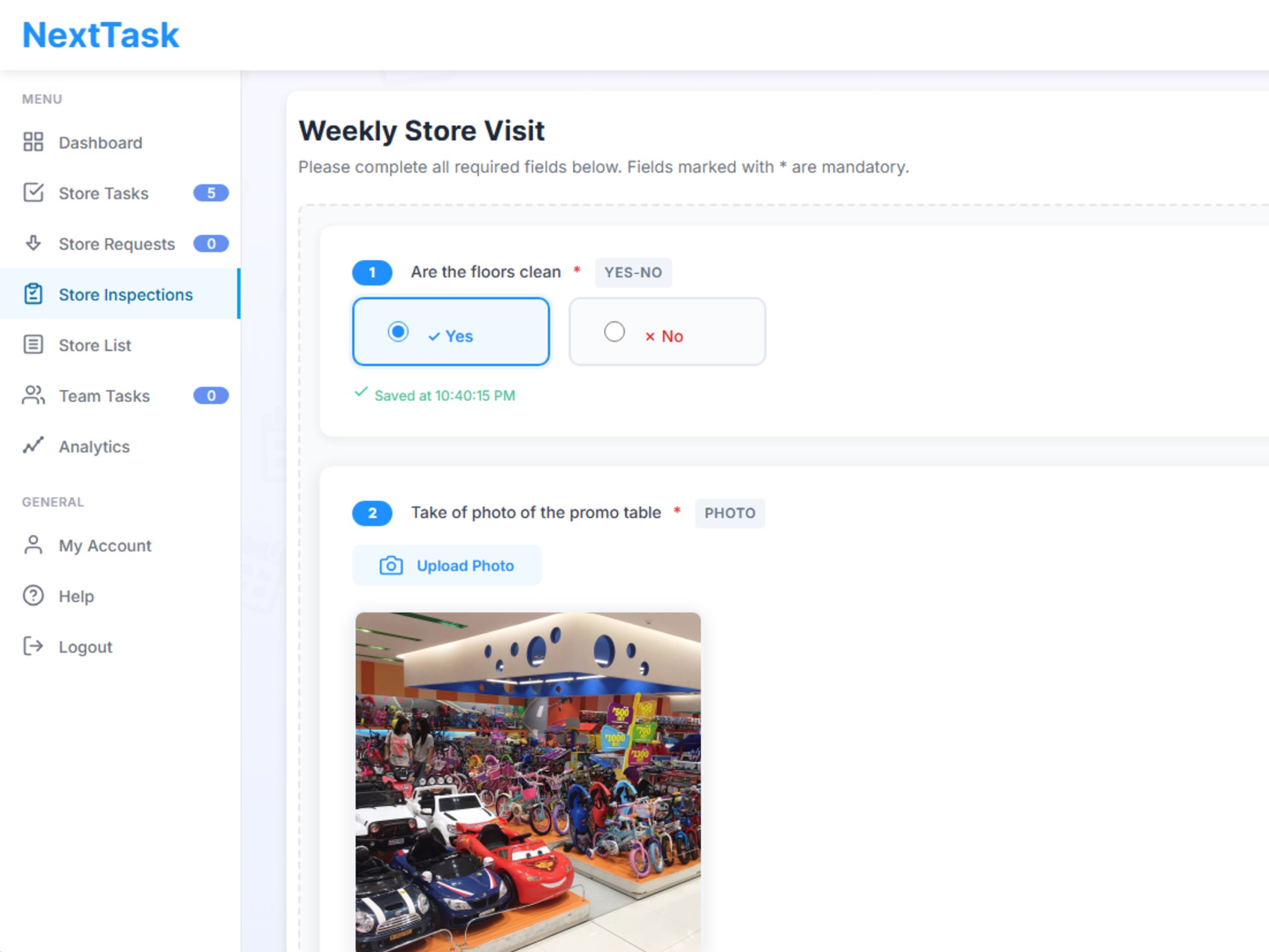
Replace paper checklists with digital versions featuring three distinct types: Store Checklists, Regional Manager Checklists, and Mystery Shopper Checklists. Each designed for specific use cases.

The Right Checklist for Every Need

NextTask offers three specialized checklist types, each designed for a unique scenario. Streamline daily operations, ensure quality standards, and gain unbiased insights with the right checklist for every job.

  • Store Checklists For daily operations, cleaning, opening/closing, and compliance. Staff complete these checklists as part of their routine, with photo uploads, signatures, and recurring schedules built in.
  • Regional Manager Checklists Used by area or regional managers to audit stores, review standards, and provide feedback. Includes scoring, comments, and the ability to trigger follow-up actions or resubmissions.
  • Mystery Shopper Checklists Checklists for unbiased customer experience and service quality assessments, completed by head office staff or external people. Can be started directly on the website or via a shareable link with no login required for the shopper.
  • Automated Recurrence Regional Manager and Store Checklists support automatic recurrence. Set daily, weekly, bi-weekly (every 2 weeks), or monthly schedules and never create the same checklist manually again.
  • Scoring All checklists include scoring features. Assign scores to rating questions, yes/no questions and multiple-choice questions (with/without multiple selections), track performance over time, and generate reports for insights and improvements.
Checklists Dashboard

Checklist Use Cases

Store Checklists

Opening/closing procedures, daily cleaning, health & safety checks, and compliance routines completed by store staff.

Regional Manager Checklists

Store audits, standards reviews, and operational assessments performed by area or regional managers, with scoring and feedback.

Mystery Shopper Checklists

Unbiased service quality and customer experience evaluations, completed by head office staff or external shoppers via link or on-site.

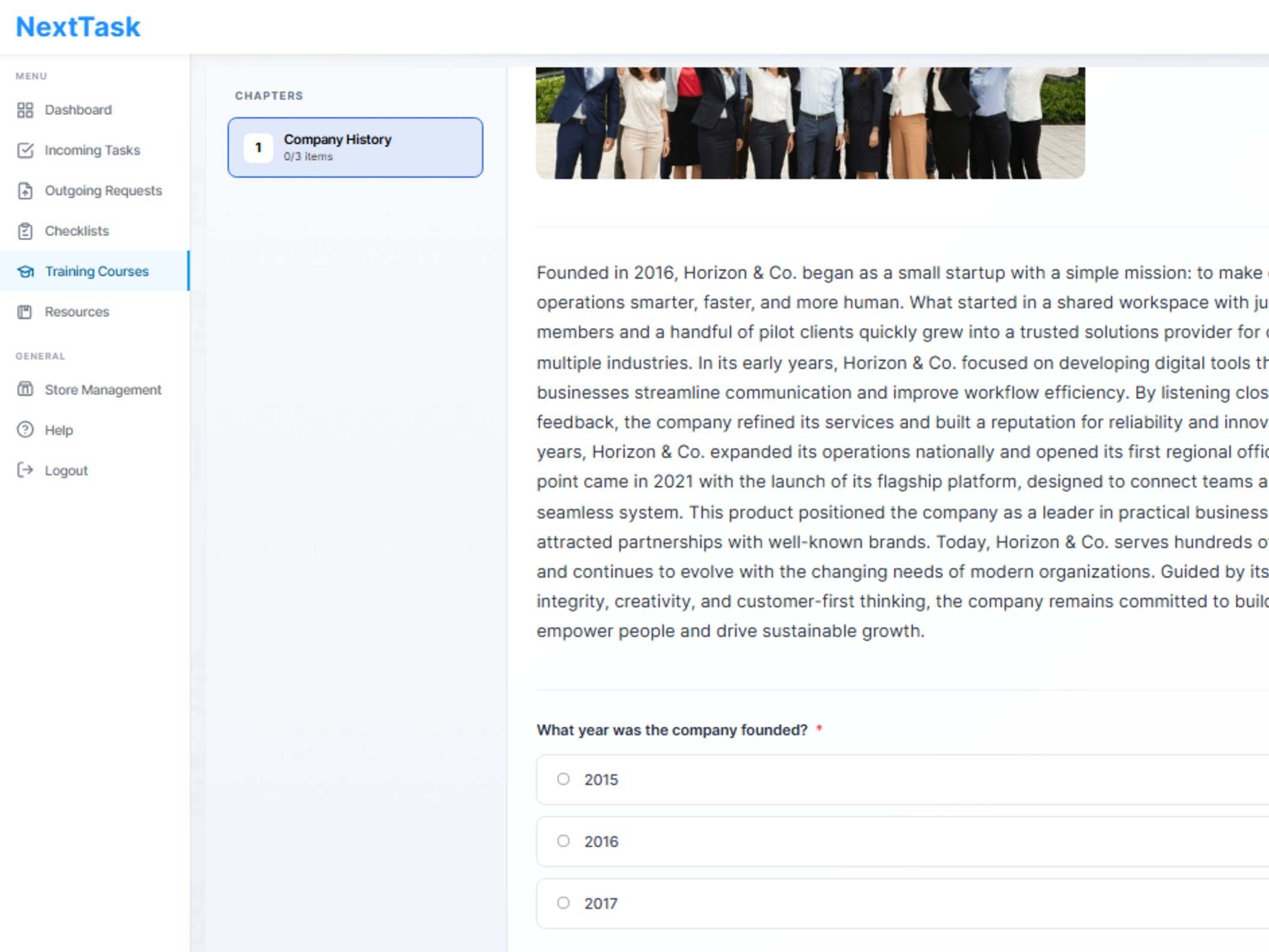
Training Courses

Empower your stores with interactive, multimedia training modules. Track progress, test knowledge, and enable continuous learning.

Onboarding & Upskilling

Deliver engaging training courses with chapters, images, text, videos, and downloadable files (PDFs, Excel, etc.). Each course can include quizzes with yes/no and multiple-choice (multi-select) questions to reinforce learning. Employees can redo courses at any time, and managers can track progress, quiz results, and completion rates for every staff member.

  • Chapters & Multimedia: Structure courses into chapters with rich content: images, videos, and downloadable files.
  • Interactive Quizzes: Add yes/no and multiple-choice (multi-select) questions to test understanding after each chapter or at the end.
  • Progress Tracking: Monitor employee progress, quiz scores, and completion status in real time.
  • Redo Courses: Employees can retake courses and quizzes as often as needed for mastery.
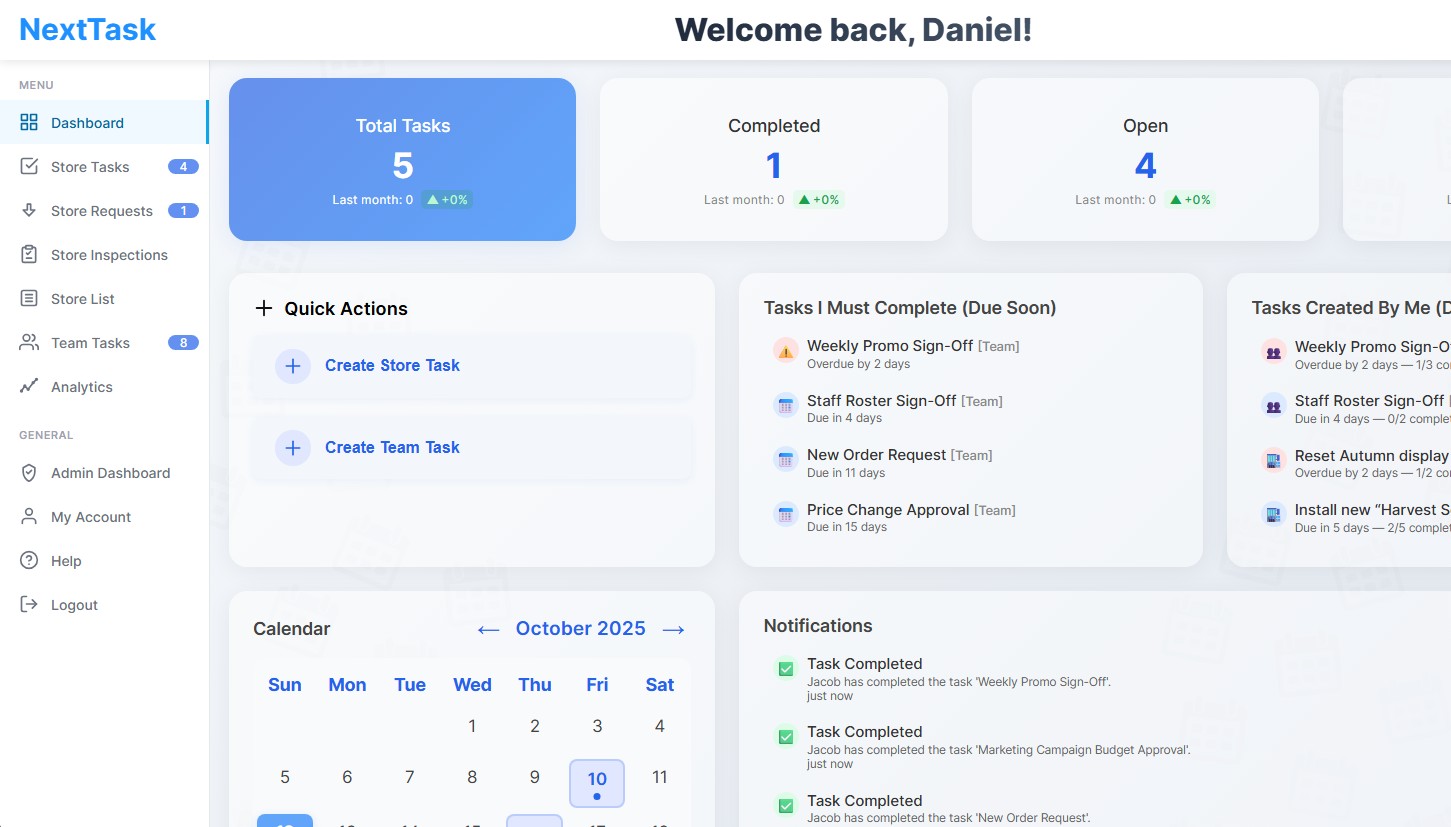
Training Courses

Training Course Use Cases

New Employee Onboarding

Guide new hires through company policies, safety procedures, and job-specific skills with structured, trackable courses.

Ongoing Compliance Training

Keep staff up to date on compliance requirements, health & safety, and regulatory changes with recurring, mandatory courses.

Product Knowledge & Upskilling

Launch new product training or upskill employees on advanced topics. Embed videos, guides, and quizzes for effective learning.

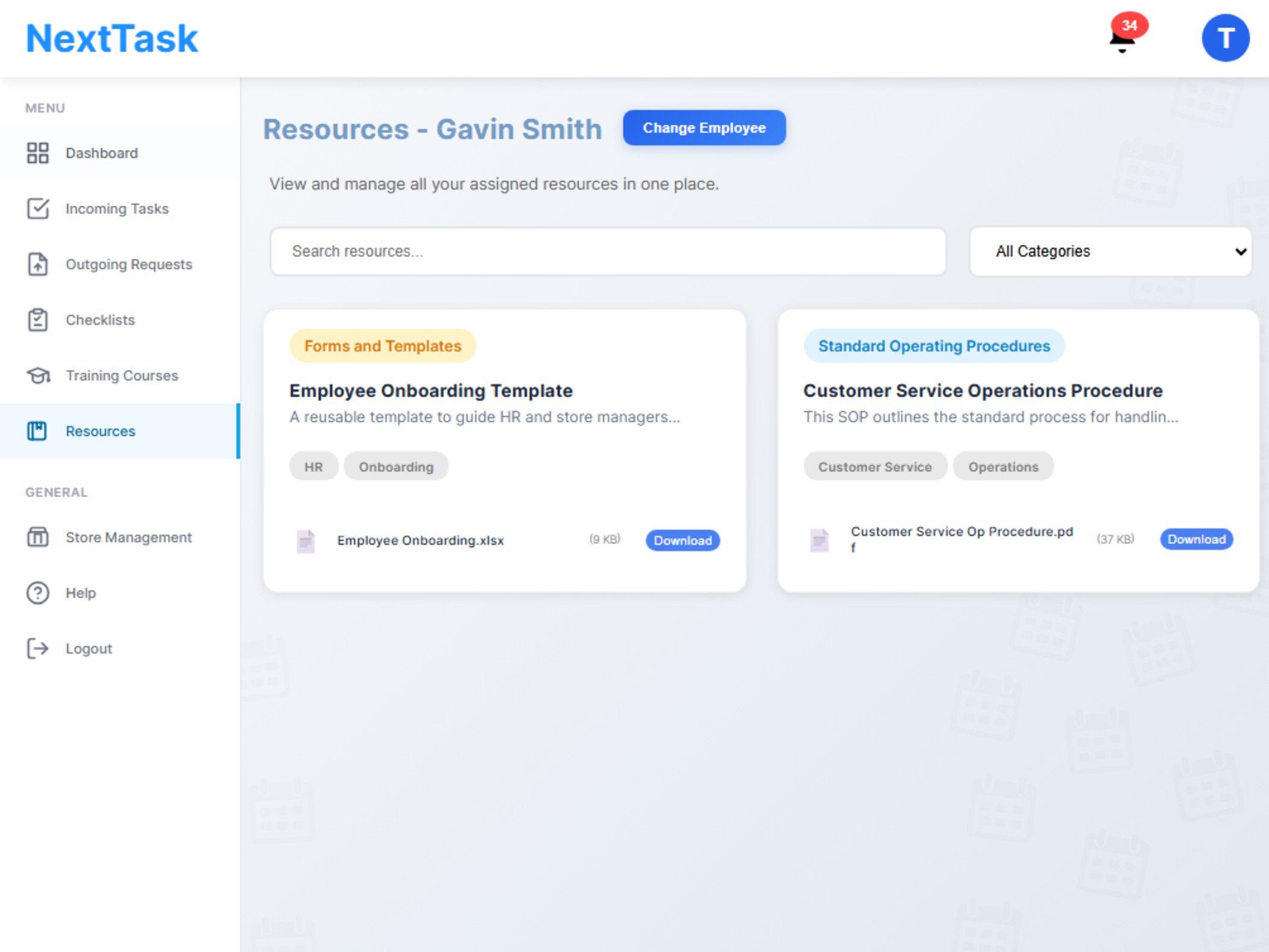
Store Resources

Centralize important documents, guides, and reference materials for your stores. Create resource packs and track employee engagement.

Share SOPs, Guidelines & Documents Securely

Head office can upload, organize, and share essential resources such as standard operating procedures (SOPs), guides, training material, templates, and more. Multiple files can be grouped into a single resource pack (e.g., an onboarding pack) for easy distribution. Track which employees view each resource to ensure compliance and knowledge sharing across your organization.

  • Easy Uploads: Drag-and-drop files. Add multiple files to create resource packs.
  • Resource Packs: Bundle related documents, videos, and templates into a single pack for onboarding, compliance, or campaigns.
  • View Tracking: See which employees have accessed each resource for accountability and training verification.
  • Quick Access: Staff can find what they need instantly, from any device.
Store Resources

Store Resource Use Cases

Onboarding Packs

Distribute a bundle of essential documents, guides, and forms to new employees for a smooth onboarding experience.

Policy & SOP Distribution

Share updated standard operating procedures, policies, and compliance documents with all staff and track who has viewed them.

Campaign & Marketing Kits

Provide stores with ready-to-use marketing materials, templates, and instructions for new campaigns or promotions.

Asset Management

Build a complete digital inventory of every store asset. Track usage, monitor condition, log history, and give head office full visibility across all locations.

Complete Asset Visibility & Control

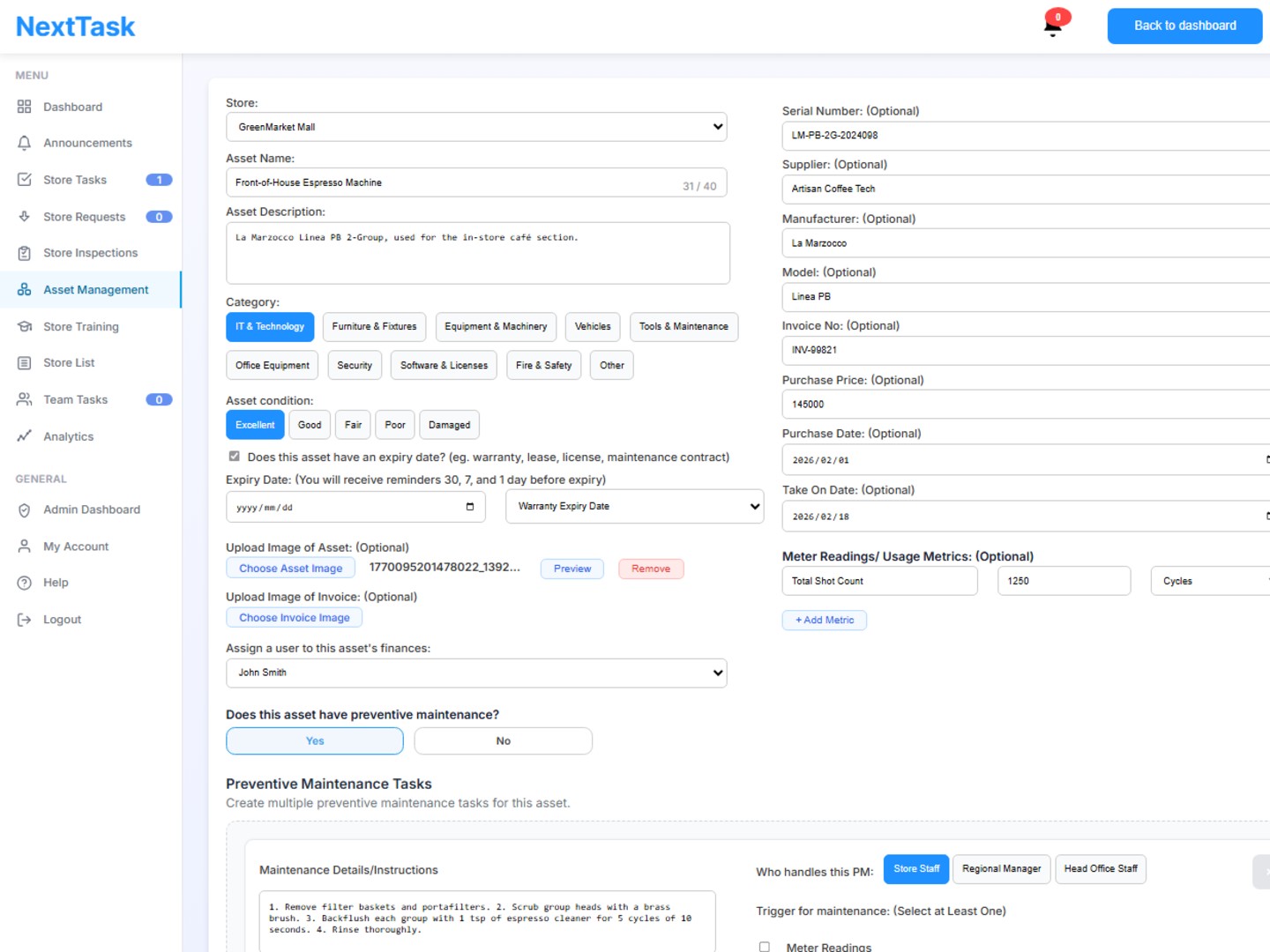
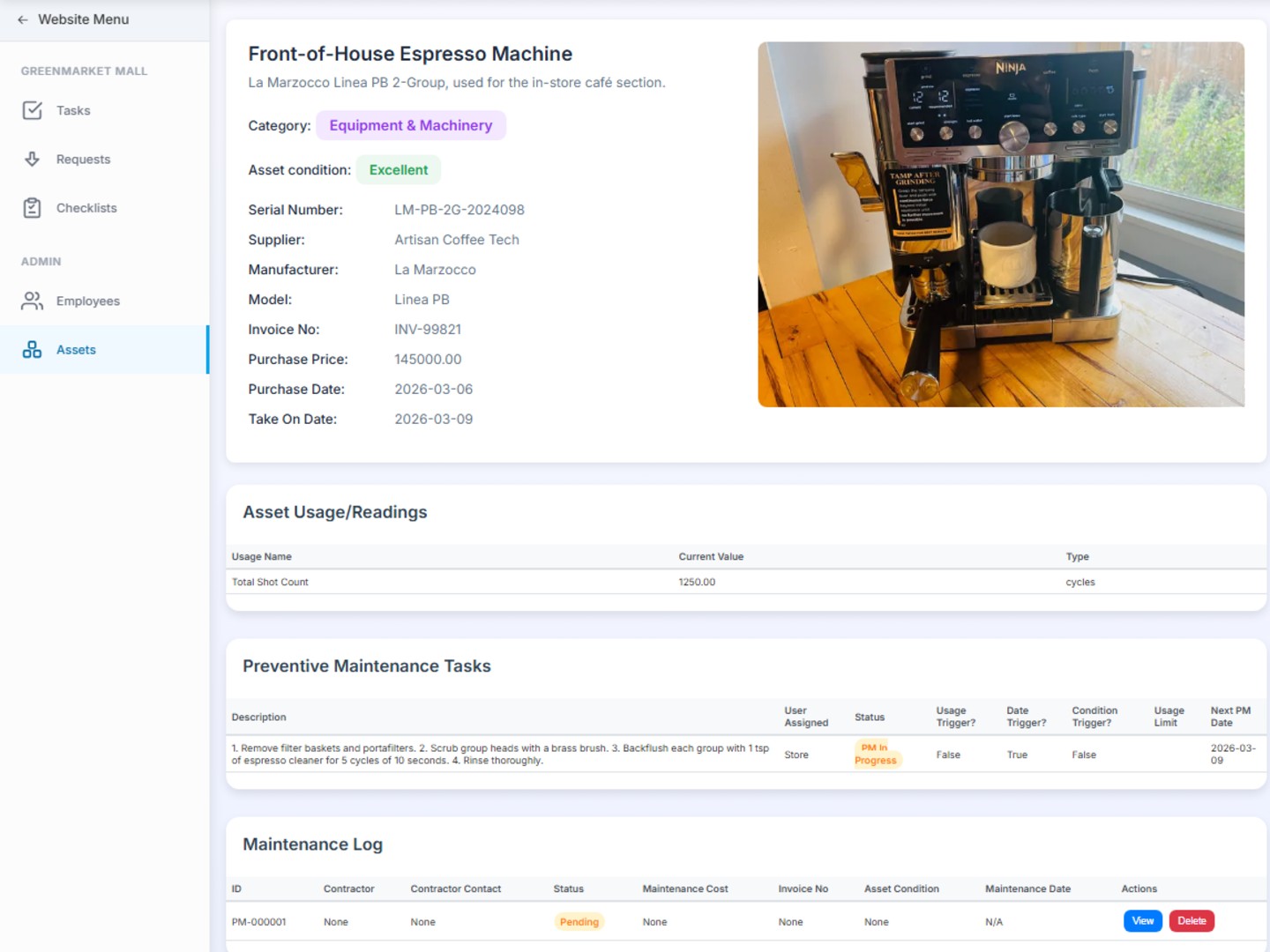
NextTask lets you catalog every asset across all stores, from POS systems and vehicles to fridges and safety equipment. Each asset has its own profile with detailed records, a unique printable asset code for easy physical identification, and a full activity history visible to head office.

  • Rich Asset Profiles & Printable Asset Codes Record serial numbers, purchase dates, purchase prices, invoice numbers, warranty info, and attach photos. Each asset gets a unique code that can be printed with a label machine for fast on-site identification.
  • Meter Readings & Usage Tracking Log multiple custom meter readings per asset: track kilometers, hours of use, temperature, cycle counts, or any measurable value. Readings can be added directly from store opening and closing checklists, keeping asset data up to date without extra effort.
  • Store Requests Linked to Assets When stores log a request involving an asset, head office can see the full context: the asset's condition, prior maintenance, and usage history, all in one place. This makes it easy to decide whether a repair, service, or replacement is needed.
  • Checklists Keep Asset Status Current Include asset condition checks and meter readings in your store's daily opening or closing checklists. Head office always knows the real-time state of every asset across every location.
  • Expiry Date Tracking & Reminders Attach one expiry date to each asset, with a configurable label and reminder lead time. Get notified before anything lapses so you're never caught off guard by an expired licence, warranty, or subscription.
  • Depreciation-Ready Records Store purchase price, purchase date, and invoice details against every asset so your finance team has everything they need to calculate depreciation and make informed budgeting, repair, and replacement decisions.
Asset Create Dashboard
Asset View Dashboard

Asset Management Use Cases

Electronics & Equipment

Track POS systems, computers, kitchen equipment, and other critical assets. Log usage cycles, monitor condition through checklists, and maintain a complete service history.

Vehicles & Mobile Assets

Track vehicle odometers, service intervals, and condition. Set meter-based triggers so maintenance tasks fire automatically when a vehicle hits a target mileage. Add a vehicle licence expiry date so renewal reminders are sent well in advance.

Licences, Warranties & Subscriptions

Track software licence renewals, warranty end dates, and compliance certificate expiries across every store. Set reminder lead times per expiry type so the right person is alerted with enough time to act.

Maintenance Tracking

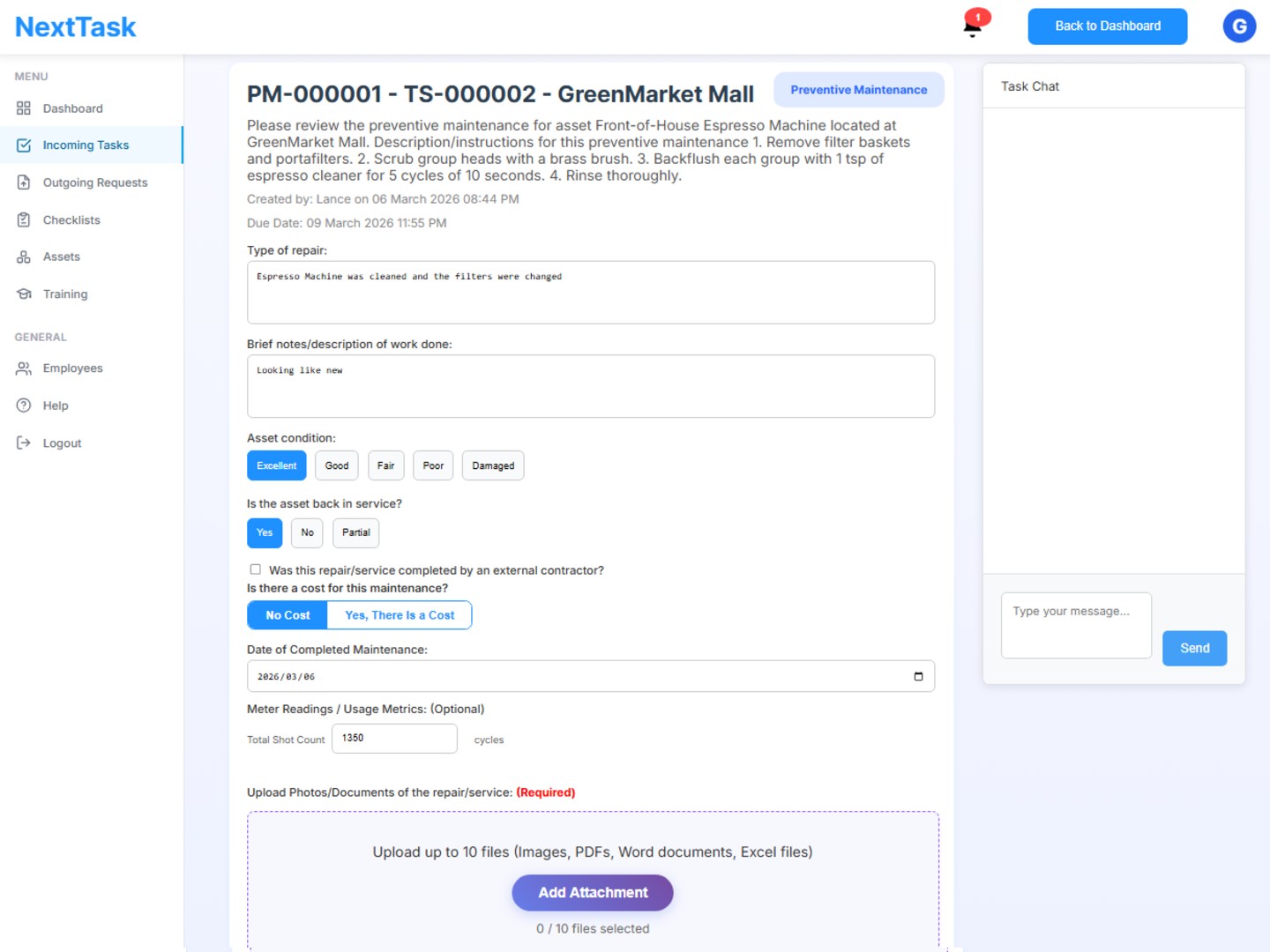
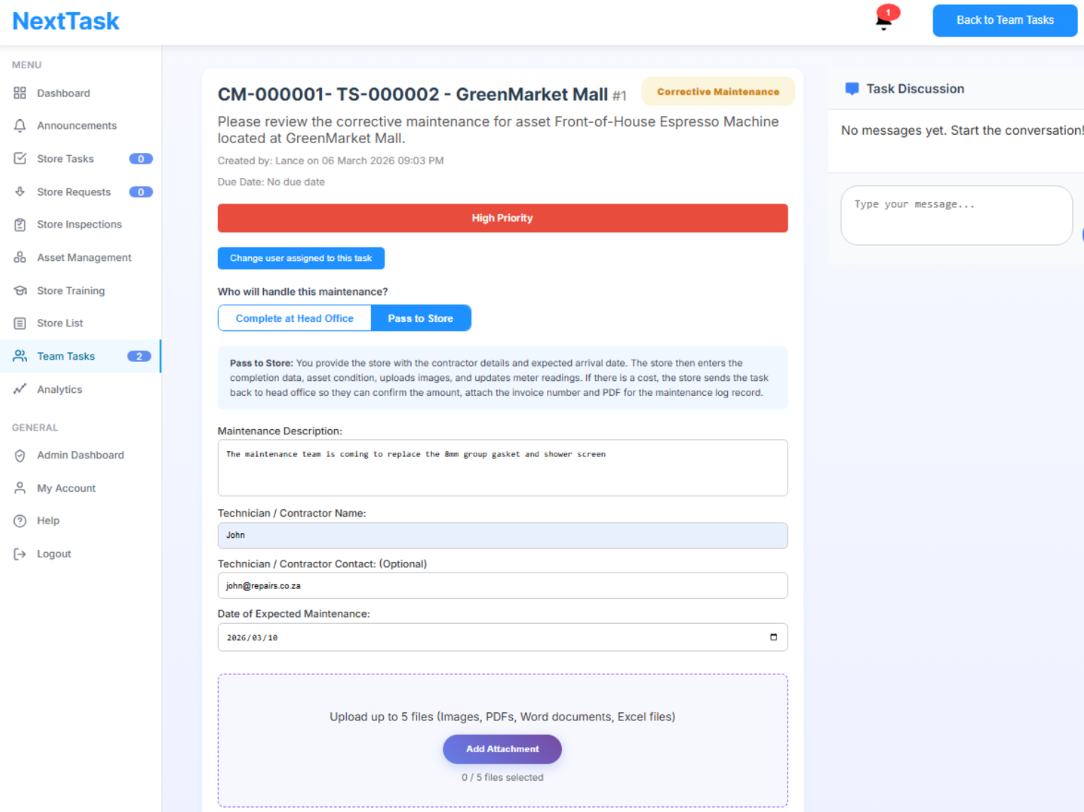
Handle both preventive and corrective maintenance end-to-end, from automatic triggers through to payment verification, with full accountability at every step.

Maintenance Tracking

Preventive & Corrective Maintenance in One Place

NextTask covers the full maintenance lifecycle. Set up preventive maintenance rules per asset that trigger automatically, or start corrective maintenance at any time from a store request or directly from the asset page. Both flows follow the same structured path through assignment, verification, and payment, giving head office complete control and a permanent audit trail.

  • Automatic Preventive Maintenance Triggers Define rules per asset: trigger a maintenance task when condition drops to poor or damaged, when a meter reading crosses a threshold (e.g. vehicle hits 10,000 km), or on a recurring date frequency (e.g. annually). Tasks are created automatically so nothing gets missed.
  • Corrective Maintenance On-Demand Start corrective maintenance directly from an incoming store request or from the asset page itself. Useful when an issue arises that wasn't anticipated by a preventive schedule.
  • Flexible Assignment: Store, Regional or Head Office Assign maintenance tasks to the store (ideal when staff can resolve it locally or drop the asset off), a regional manager, or a head office member (ideal when an external contractor is required). The right person is always in the loop.
  • Head Office to Store Handoff When a maintenance task is managed by head office, such as coordinating a contractor visit, it can be passed to the store for photo verification and confirmation of the contractor's arrival, keeping the store informed and accountable.
  • Built-in Payment Verification Every maintenance task prompts whether payment is required. If yes, a task is automatically created for a head office user to capture what was paid, who was paid, and upload the invoice, keeping a clean financial record attached to the asset's history.

Maintenance Use Cases

Refrigeration & HVAC

Set temperature thresholds that automatically trigger a maintenance task when readings go out of range. Assign to a contractor via head office and verify completion with store photos.

Vehicle Servicing

Trigger a service task automatically when a vehicle's odometer reading crosses a set kilometer limit or a yearly date arrives. Track payment and upload the service invoice directly to the asset record.

Reactive Repairs from Store Requests

When a store logs a request about a broken asset, head office can instantly convert it into a corrective maintenance task, assign it to the right person, and track it through to resolution and payment.

Head Office Task Approvals

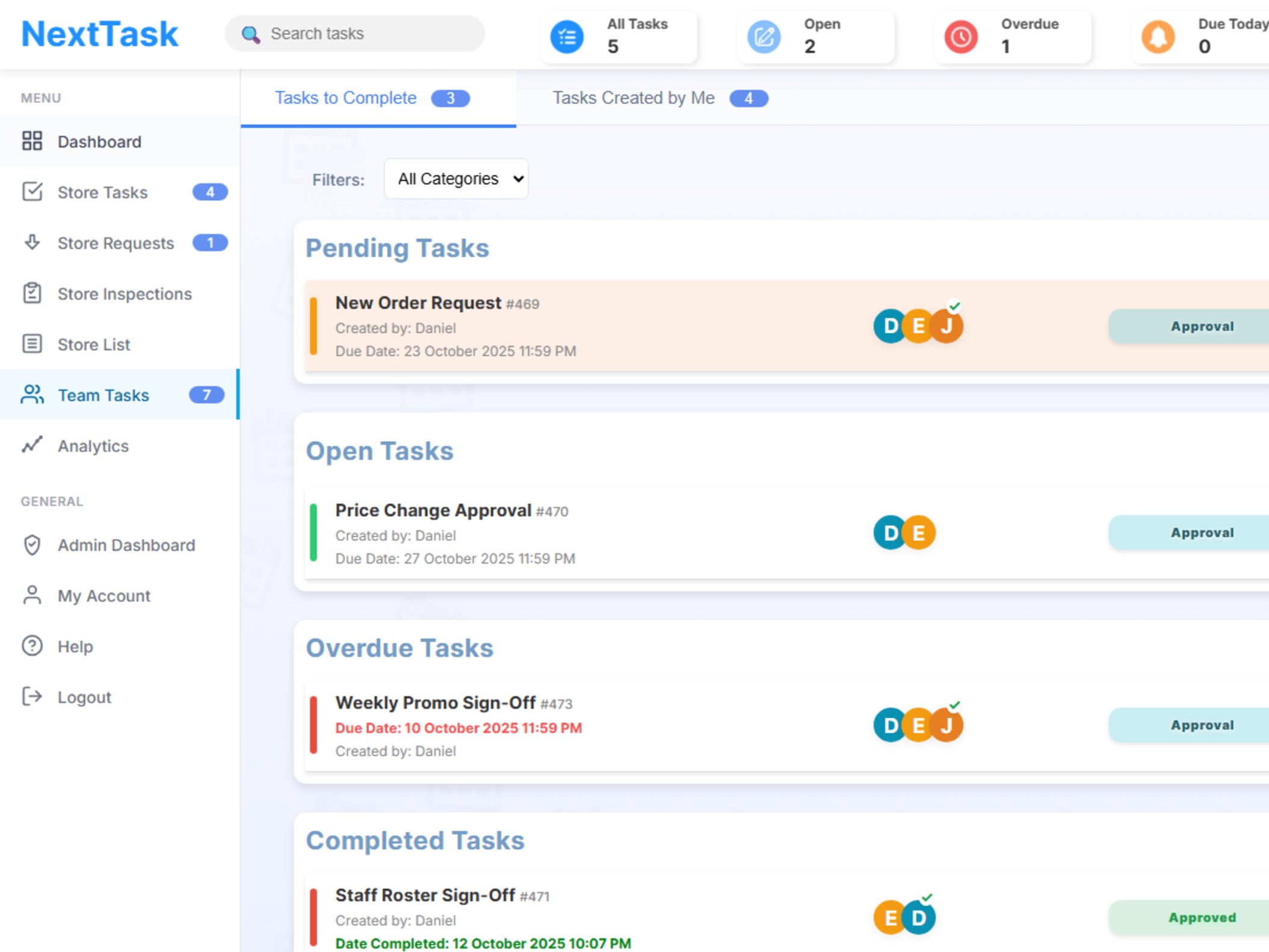
Streamline internal workflows for head office teams. Use approval processes for inter-departmental projects, policy changes, and critical business decisions.

Internal Collaboration & Oversight

Facilitate structured reviews and sign-offs for tasks and projects that only involve head office staff. Ensure accountability, transparency, and compliance for all internal initiatives.

  • Internal Approval Workflows Route tasks and documents between departments for review and sign-off. Track who has approved, who is pending, and maintain a clear audit trail.
  • In-Task Chat Request changes, add comments, and collaborate on internal projects before final approval. All feedback is logged for future reference.
  • Approval Queue See all pending internal approvals in one dashboard. Prioritize, delegate, and track turnaround times for head office tasks.
  • Document & Policy Sign-Off Use digital approval for new policies, compliance documents, or inter-departmental agreements. Ensure everyone is aligned before implementation.
Head Office Tasks Dashboard

Internal Approval Use Cases

Policy & Document Sign-Off

Route new policies, compliance documents, or HR guidelines for formal approval by relevant head office departments.

Project Milestone Approvals

Require sign-off on key project stages, budgets, or deliverables before moving forward with internal initiatives.

Compliance & Audit Reviews

Ensure all compliance, legal, and audit requirements are reviewed and approved by the appropriate head office teams.

Store Analytics & Insights

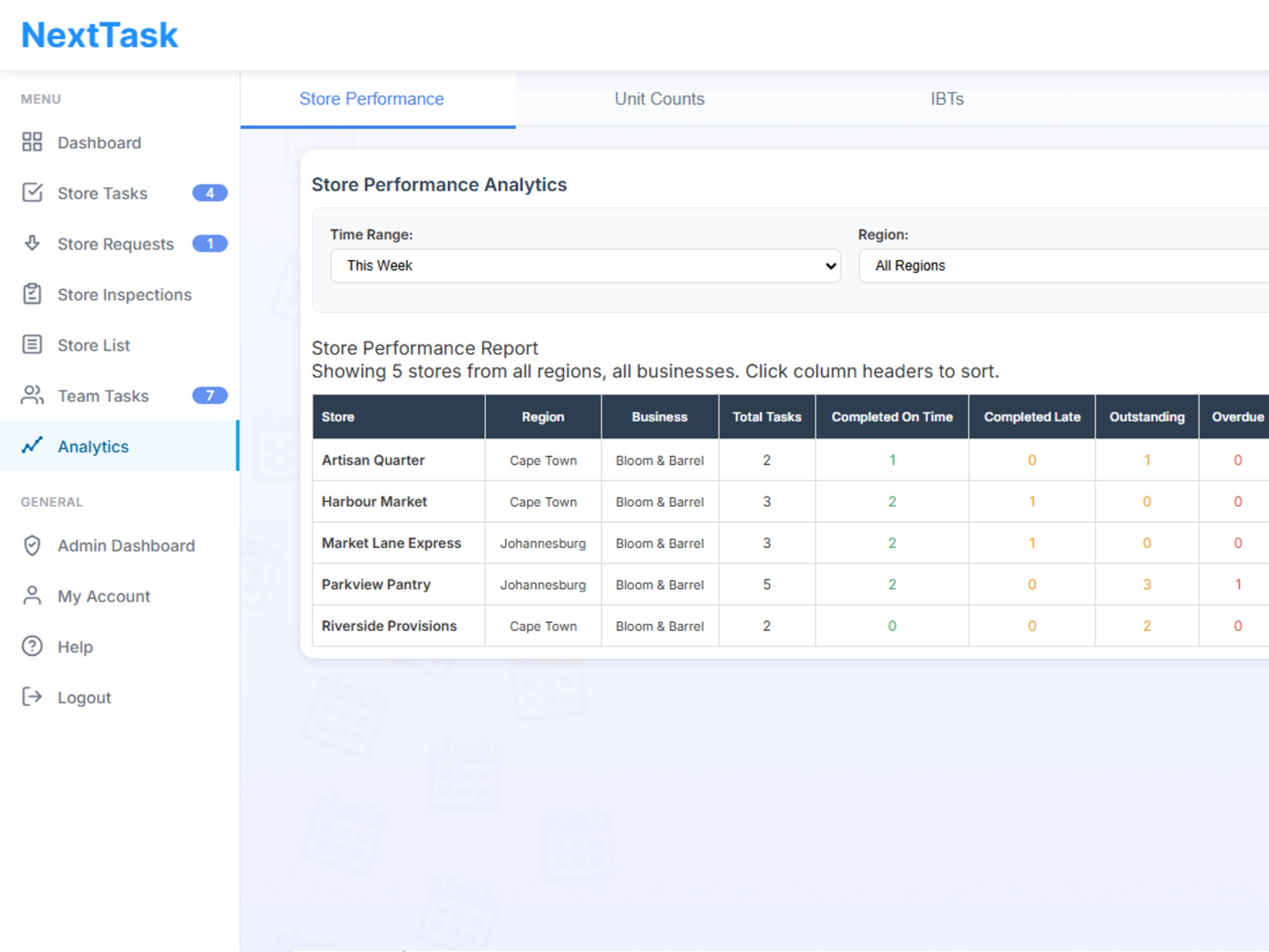
Get actionable insights into store performance, inventory losses, and checklist quality. Track what matters most to your operations.

See the Numbers That Matter

NextTask's analytics help you monitor store activity, spot issues, and drive improvements. Focus on the metrics that impact your business every day.

  • Store Task Analytics Track tasks completed, late, overdue, and average time to complete for each store. Identify bottlenecks and improve accountability.
  • Unit Count Stats Monitor inventory losses and shrinkage with unit count analytics. Spot trends, reduce theft, and maintain accurate stock levels.
  • Checklist Analytics Analyze checklist completion rates and scoring. See which stores or teams are excelling and where standards need attention.
Analytics Dashboard

Real-Time

Data Updates

2h 15m

Avg Completion Time

Export

Excel & PDF

Compare

All Stores

Website Customizability

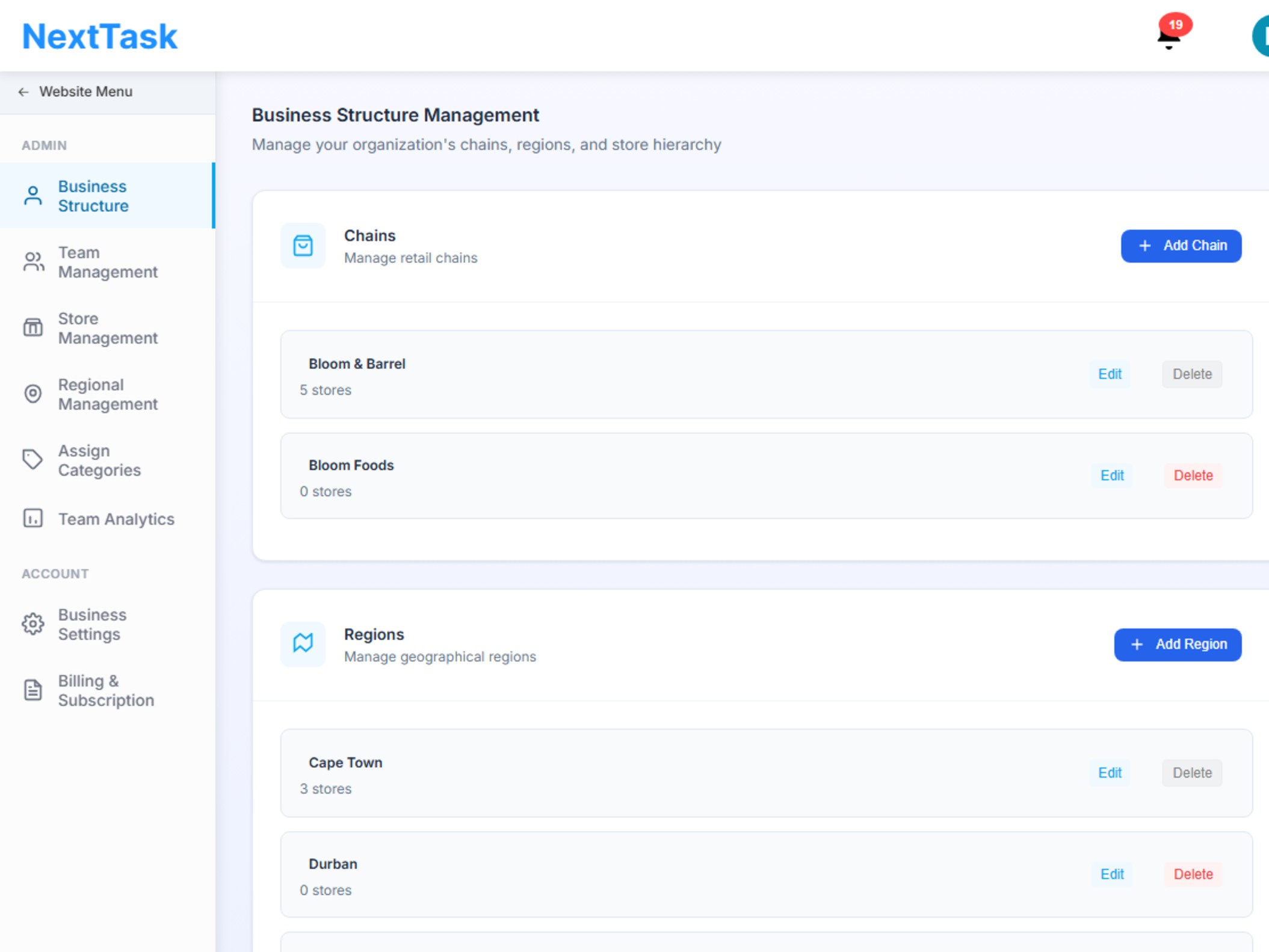
Tailor NextTask to your business structure and workflow. Manage regional managers, assign users to stores, create custom categories, and support multiple chains. All in one platform.

  • Regional Manager Roles Assign regional managers to oversee specific stores or areas. Ensure managers only see and manage tasks relevant to their region.
  • User Assignment & Access Assign staff to stores and request categories so they only see tasks and requests related to their responsibilities.
  • Custom Categories Create custom task and request categories to match your business needs. Organize workflows for departments, teams, or special projects.
  • Multi-Chain Support Manage multiple retail chains or brands from a single platform. Keep data, tasks, and reporting separate for each chain.
Business Management Dashboard

Frequently Asked Questions

Most businesses are up and running within 24 hours. Our intuitive setup wizard guides you through the process, and our support team is available to help if needed. You can start with one store and expand gradually.

Absolutely! We offer a 30-day free trial with full access to all features. No credit card required to start your trial. Experience the full power of NextTask risk-free.

Yes! We provide comprehensive onboarding and training resources including video tutorials, documentation, and live training sessions. Our platform is designed to be intuitive, so most users get comfortable quickly.

We provide email and WhatsApp support during business hours, with priority support available for premium plans. Our knowledge base is available 24/7, and we're continuously adding new resources based on customer feedback.

Yes! We use bank-level encryption, secure data centers, and follow industry best practices. We're GDPR compliant and take data security very seriously.

Absolutely! NextTask is highly customizable. Create custom task templates, checklists, roles, and workflows. Configure the system to match your specific business processes and requirements.

You can cancel anytime with no penalties or long-term commitments. We offer month-to-month billing.